Skip to product information
1 of 7

ANDONT

SKU:AC50-GBRCYMW-USB

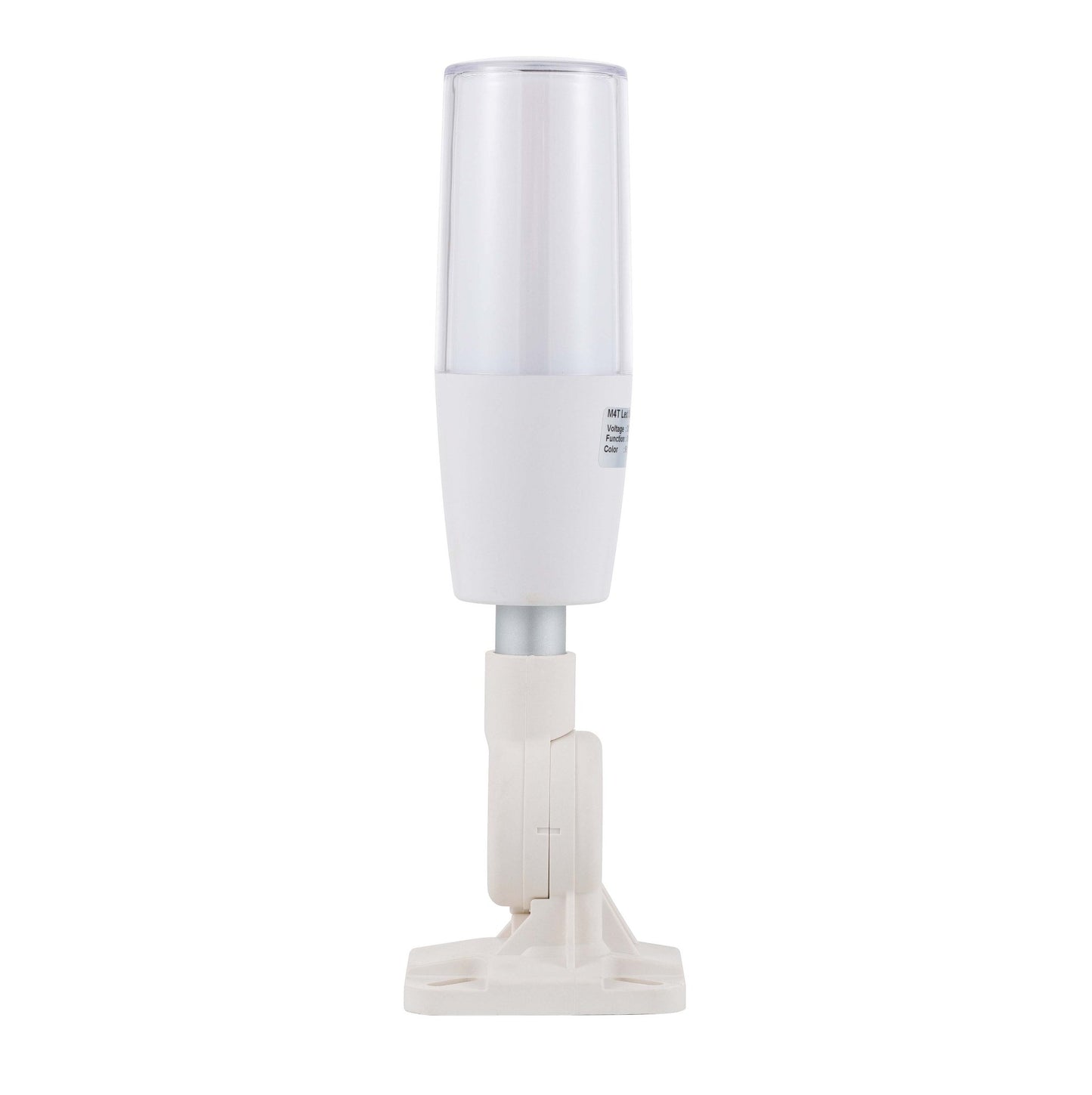
ANDONT Programmable 7-Color USB Tower Light with Built-in Buzzer

ANDONT Programmable 7-Color USB Tower Light with Built-in Buzzer

Regular price $129.00 USD
Regular price $169.00 USD Sale price $129.00 USD
Sale Sold out
Taxes included. Shipping calculated at checkout.
Quantity
  • Industrial-Grade Reliability Built with premium industrial materials and precision engineering, ensuring stable long-term operation in factories, workshops, laboratories, and warehouses.
  • USB-Controlled & Programmable Operates via USB interface and programmable with included CH341 software. Easily reconfigure signal patterns to meet your workflow needs without extra hardware.
  • Seven Vibrant Colors Preconfigured RGB LEDs produce up to 7 colors (Red, Green, Blue, Cyan, Yellow, Magenta, White) on a single layer, providing clear visual alerts for machine or process status.
  • Audible Alerts with Buzzer Integrated buzzer delivers a loud, clear sound exceeding 85 dB, ensuring alerts are noticed in noisy industrial environments.
  • Flexible Installation Options Three types of bases available for easy mounting, adjustable pole length for different setups. Compact and plug-and-play design allows fast deployment.

    Product description

    ANDONT USB Stack Light Signal

    M4T-USB

    Operation steps:

    1. Plug the light into the USB port.

    2. View My Computer-right-click Management, System Tools-Device Manager, double-click the port (COM and LPT), and view the COM serial port number.

    3. Open the USB three-color light debugging driver-commassistant.exe (you can also use other serial port debugging tools)

    4. Select the COM serial port (whatever COM number you checked in the first step, select it here), serial port baud rate:

    9600, 8 data bits, 1 stop bit, no parity bit. Check the hexadecimal system, send the corresponding code on the left to the blank area (note that there are spaces in the middle of each group of hexadecimal systems), click Send, and you can control the color and buzzer. (In practical applications, customers can make their own serial port tool and automatically send codes to control the desired effect)

    5. After the test is OK, close the software and unplug the USB.

    (Note: The status of each color can be controlled individually. After sending the control, you need to send the light-off signal again, and the corresponding color will turn off the light. The flashing frequency of all colors and buzzers is once per second.)

    M4T

    Introduction:

    1. Exquisite structure, simple and beautiful, high cost performance;

    2. the overall heat dissipation is good, to ensure product life;

    3. can adjust the volume, function;

    4. multiple colors can be freely combined.

    Application:

    Automated assembly line, Automation equipment, Security equipment, LED

    encapsulation equipment , Alarm system, SMT equipment, CNC machine tool,

    Engraving machine, Lathe, Milling machine, Mining machine


    Control instruction:

    M4T 8

    Use software to send instruction (9600 Baud, hexadecimal) to control lamp

    Parameter:

    Input voltage DC 5V
    Housing color Gray
    Working Temperature -20~45℃
    IP rating IP53
    Buzzer volume Max90dB
    Input wire length 0.75 meter
    Material PC lens, ABS body and AL pole
    Lifetime 50,000 hours
    Certification CE
    Installation Bracket
View full details
  • 5 stars: 6 (86%)
  • 4 stars: 1 (14%)
  • 3 stars: 0 (0%)
  • 2 stars: 0 (0%)
  • 1 star: 0 (0%)
J
Jason
Works, but confusing docs

This works but is a little annoying to get working. You don't have to download anything except the CH341 driver if you don't already have it installed (you probably do), but you will need to be able to send bytes to your serial port. You can test with Termite using the Hex View plugin.The data format is in hex; use the chart in the listing above to figure it out but there is one big error - the buzzer OFF is 0x01, not ON. So if you find, like I did, that the annoying buzzer can't be turned off - try reversing that byte.For example, you can transmit 0xff030101aa to turn on the light as solid blue with no buzzer.Serial is 9600 8N1.

l
letmepicyou
Bright light, annoying buzzer.

This definitely does the job, with a very bright light output and a "buzzer" that will DEFINITELY get attention. The USB cable isn't too long, depending on your application you may need an extension cable. The base is plastic (ABS, it says in the description), so be careful when you secure this that you don't crack it. There's a bit of software to download, and you'll need to be able to do a little hexadecimal programming, but that means it's easy to implement with anything, from a logic controller to a Raspberry Pi. I have no complaints, really. 5 stars.

M
Mike
Smart signaling lights

This industrial signal has seven colors to communicate. It integrates with existing systems withhout needing a PLC. It's a compact design so doesn't take up much room. It can be controlled by a PC with user-friendly software. It doesn't take technical expertise to set this up.

j
jeanlego
Works great, here is some python to control it

#!/usr/bin/env python3"""M4T Signal Tower Light python apihttps://www.amazon.com/dp/B0DLKKFCZB"""from serial.tools import list_portsfrom serial import Serialimport argparseimport sysclass Modes(): _map = {} _current = None def __init__(self): self._current = self._map["off"] @classmethod def modes(cls): return list(cls._map.keys()) def set(self, x): if x not in self._map: raise RuntimeException(f"Value for {self.__name__} must be one of {cls._map.keys()}, got {x}") self._current = self._map[x] def get(self): return self._currentclass LightModes(Modes): _map = { "off": 0x01, "green": 0x02, "blue": 0x3, "red": 0x4, "cyan": 0x5, "yellow": 0x6, "magenta": 0x07, "white": 0x08, }class AlarmModes(Modes) : _map = { "off": 0x01, "on": 0x02, }class BlinkModes(Modes): _map = { "off": 0x01, "fast": 0x02, # 0.85s/time "normal": 0x03, # 1.7s/time "slow": 0x04, # 2.5s/time }class M4TTower(): _id = "1A86:7523" _baud_rate = 9600 _light = LightModes() _alarm = AlarmModes() _blink = BlinkModes() def _send(self): self._serial.write(bytes([0xFF, self._light.get(), self._alarm.get(), self._blink.get(), 0xAA])) def __init__(self): d = list(list_ports.grep(self._id)) assert len(d) == 1, f"Found more then one device with vendor:product {VID_PID}." self._serial = Serial(d[0].device, self._baud_rate, timeout=0) def set(self, light, alarm, blink): self._light.set(light) self._alarm.set(alarm) self._blink.set(blink) self._send()def main(): parser = argparse.ArgumentParser(description=__doc__) parser.add_argument("--light", "-l", default="off", choices=LightModes.modes(), help="The light state") parser.add_argument("--alarm", "-b", default="off", choices=AlarmModes.modes(), help="The alarm state") parser.add_argument("--blink", "-f", default="off", choices=BlinkModes.modes(), help="The blink state") args = parser.parse_args() tower = M4TTower() tower.set(args.light, args.alarm, args.blink)if __name__ == "__main__": sys.exit(main())

B
Barkyhill
Works as expected. Requires software.

This is an interesting device, driven via Hex data via the USB port.I used the URT Assistant SW from the MS Store. You send a Hex string and it activates the light, color, buzzer and/or blink rate. You connect at 9600 baud, 8-bit, 1 stop bit and type in the hex string.Example: To light the fixture send: FF 02 01 02 AA - Which tells it to: Open comms, Light Green, no buzz, 0.85 second Flash rate, Close comms.It works as expected.Other reviews and the product description are very helpful to get this running. It WILL NOT work without something (software) to send the Hex data to the fixture. This would be great for use with an Arduino, Raspberry Pi or other micro controller.I'm going to setup a simple program on my PC to light the lamps for use for a raffle drawing - Let folks know when a drawing is coming, waiting for a prize claim and prize winner is about to expire.Brightness is OK. Not daylight sufficient, however.The Buzzer (beeper) is about 80-90dB, so not too loud.Teh mount is well made for mounting on a flat surface. No hardware included.The clear cover is removable with a twist, but is probably NOT water resistant. The base is removable by pulling the fixture off of the aluminum mounting shaft. Teh USB cable threads through this.The Buzzer sound is vented out of the bottom of the fixture.Teh USB cable is not very long - about 30".

A
Andy
Handy little indicator light

The light works well. There is one issue with the instructions on the product page.Just know that the buzzer "off" is 0x01 and on is 0x02 - you'll be surprised if you send the command expecting it to be off with their instructions.I don't use their software, never trust stuff like that. I use Python and write small interfaces using their serial module.This popped-up on my windows PC as COM7 (yours may vary). A simple bit of code makes it work.Pretty bright and an annoying buzzer - exactly what the doctor ordered.And just for completeness, if you missed it in the product page, it's 9600 baud, 1 stop bit with no parity.

P
Preston
Nice quality, compact size, convenient lighting

Nice quality, compact size, convenient lighting:This product is well made and feels durable and solidly constructed while handling. The light is relatively compact, making it easy to move around or store away when not in use, but the LED lighting gets bright enough where you can see it pretty well even from a distance. This product is very convenient since it can be operated via USB and doesn't rely on an outlet to power up. The device is also pretty simple to control and adjust the lighting, making it a good option for a number of different use cases.Overall, this is a good product and I would recommend.